
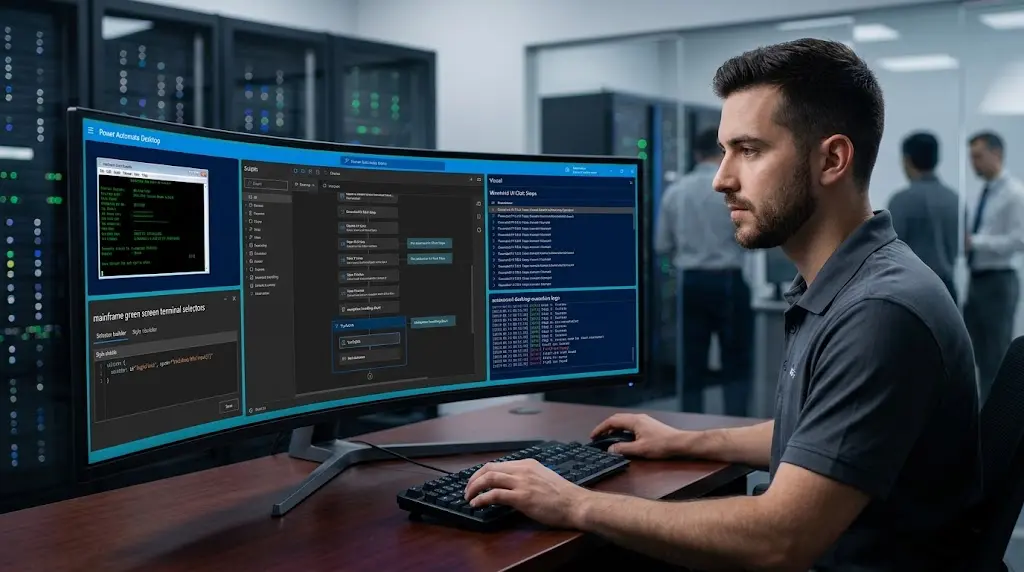
 Deploying power automate robotic process automation solutions enables organizations to bridge the gap between modern cloud infrastructure and legacy desktop software that lacks API accessibility. While modern applications communicate seamlessly via webhooks, many critical enterprise operations still rely on legacy mainframes, desktop accounting systems, and local databases. Combining robotic process automation with artificial intelligence allows software bots to interact with user interfaces, read screen elements, and process unstructured information automatically. Utilizing versatile power automate use cases allows engineering teams to automate tedious data transcription tasks across legacy environments. Attended and unattended desktop flows mimic human user actions like clicking buttons, entering text, and downloading reports with perfect accuracy. Integrating intelligent automation into legacy systems extends the lifespan of core software investments, eliminates manual data re-keying, and accelerates operational throughput without requiring expensive system overhauls.
How does power automate robotic process automation update legacy systems?
Leveraging power automate robotic process automation unlocks critical data trapped inside legacy applications that lack modern integration endpoints. Software bots simulate human interactions by navigating desktop menus, entering data into form fields, and extracting report results automatically.
This hybrid approach allows enterprises to modernize operations immediately without waiting years for complete legacy software replacements.
RPA deployment reduces legacy data entry processing costs by up to 70% across enterprise operations.
Automating UI interactions connects legacy software directly with modern cloud applications without API development.
What role does Power Automate Desktop play in UI task automation?
Power Automate Desktop provides the localized execution engine required to record, edit, and execute UI automation scripts on local machines or virtual desktop environments. Developers capture user actions visually or build custom UI steps using drag-and-drop actions.
Key desktop automation capabilities:
- UI and Web Automation: Interacts with web browsers, desktop forms, and legacy terminal windows automatically.
- Excel and System Operations: Reads local spreadsheet data, creates file directories, and manages local databases.
- Attended and Unattended Execution: Runs alongside human workers or executes silently on remote virtual machines.
Desktop flows convert repetitive screen-based tasks into reliable, automated background processes.
How does combining generative AI with RPA improve data accuracy?
Traditional RPA bots struggle when encountering unstructured data or unexpected UI layout changes. Combining generative AI models with desktop automation enables software bots to interpret unstructured text, correct formatting errors, and adapt to visual UI variations automatically.
Smart document parsing before UI injection
Machine learning models extract and structure unstructured email data before the RPA bot inputs the information into legacy green screen systems.
AI-enhanced RPA bots achieve 99% execution accuracy even when processing non-standardized document formats.
Why is exception handling essential in desktop automation flows?
Desktop automation environments encounter unexpected events like network latency, application pop-up windows, or missing UI selectors. Designing robust error-handling subflows ensures software bots recover gracefully from temporary interruptions without failing silently.
When unexpected errors occur, the bot captures screen logs, sends diagnostic notifications to IT administrators, and safely halts execution.
Automated exception logging reduces IT troubleshooting time by 60% during bot execution failures.
Building comprehensive error-handling subflows guarantees system stability across remote virtual desktop deployments.
How to adopt power automate robotic process automation efficiently?
Implementing power automate robotic process automation successfully demands identifying stable, high-volume tasks with defined rule structures. Establishing dedicated virtual machine environments ensures unattended bots execute tasks efficiently 24/7.
Recommended implementation steps:
- Map the step-by-step UI workflow actions performed by human operators.
- Build and test desktop flows in local environments using visual recorders.
- Deploy unattended bots on secure virtual machines with central cloud monitoring.
Adopting desktop automation bridges legacy infrastructure with modern cloud capabilities. Engineering robust RPA flows guarantees operational continuity, data precision, and scalable business growth.